How to Prepare Print-Ready Artwork for Custom Yard Signs

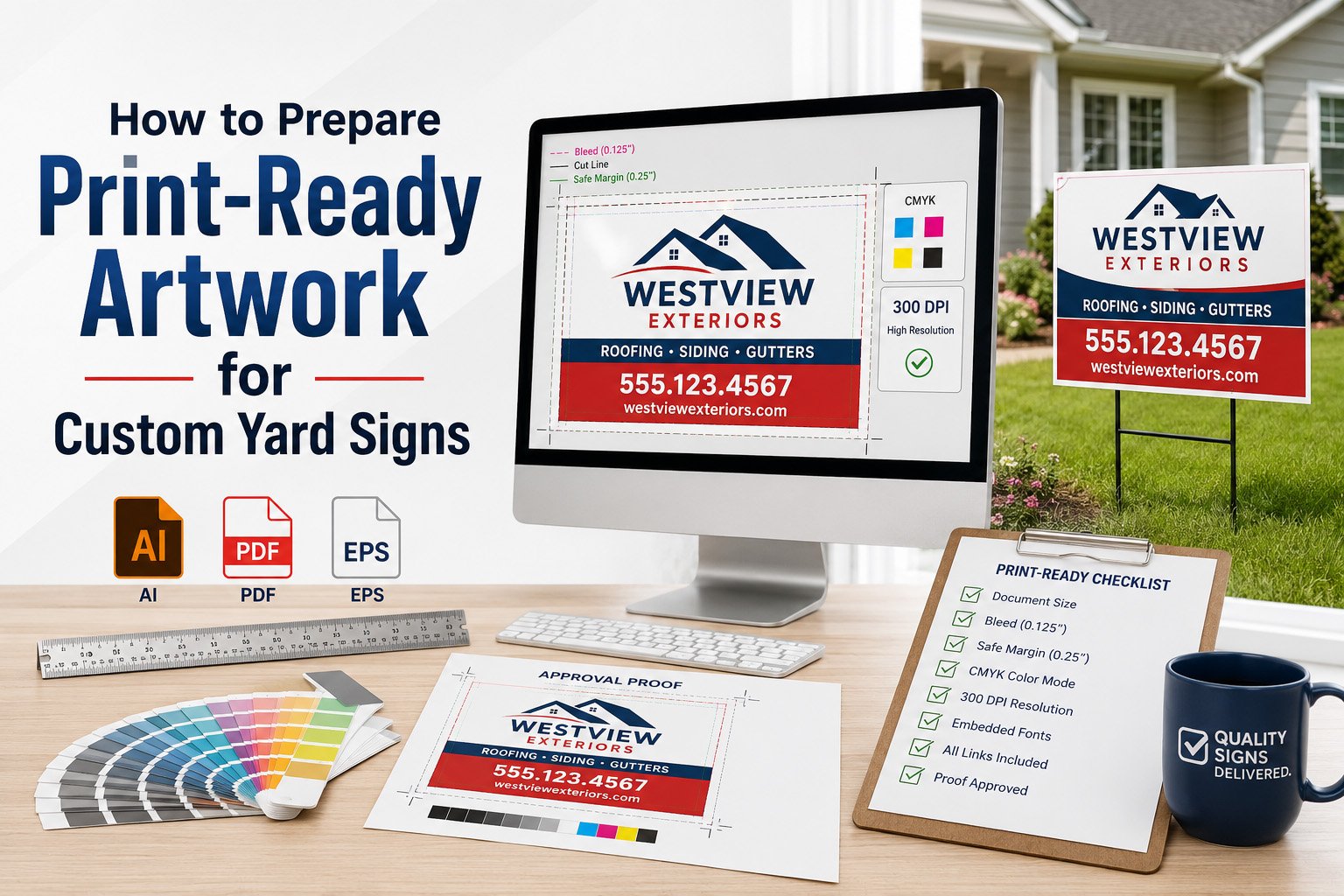
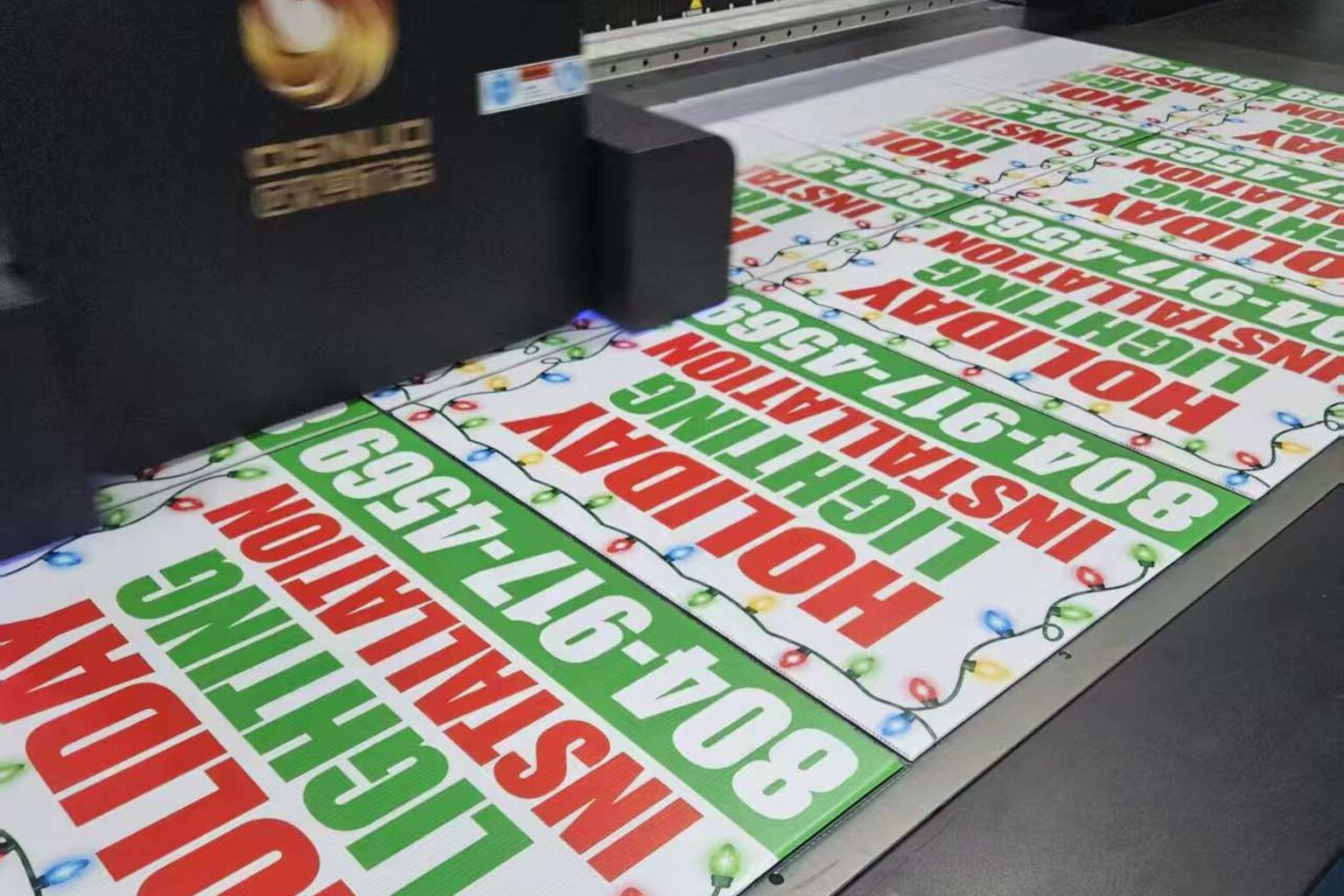
Good custom yard signs start with good artwork. Even if the material, size, and printing equipment are correct, a poor design file can still lead to blurry logos, small text, wrong colors, cut-off edges, or QR codes that do not scan properly.
For overseas buyers and bulk yard sign orders, artwork preparation is especially important. If one file mistake is printed across hundreds or thousands of signs, the cost can be much higher than simply checking the file before production.
This guide explains how to prepare print-ready artwork for custom yard signs, including file format, resolution, bleed, safe area, colors, text size, QR codes, and proof approval.
Why Print-Ready Artwork Matters for Yard Signs
Yard signs are usually viewed outdoors from a distance. People may see them while walking, driving, or passing a property quickly. That means the artwork must be clear, readable, and easy to understand in a few seconds.
A print-ready file helps the factory produce signs that match your expectations. It reduces production delays, prevents misunderstandings, and helps your signs look professional when they arrive.
For bulk custom yard sign orders, print-ready artwork also helps keep every sign consistent across multiple designs, locations, or campaign versions.
Best File Formats for Custom Yard Sign Printing
The best file format depends on your design, but vector files are usually preferred for logos, text, and clean graphics. Vector artwork can be scaled without losing quality, which makes it ideal for sign printing.
Recommended file formats include:
- AI for editable vector artwork.
- EPS for vector logos and graphics.
- PDF for print-ready layout files.
- SVG for certain vector logo files.
- High-resolution PNG or JPG for image-based designs.
If you only have a low-resolution screenshot, website image, or small logo file, it may not print clearly on a yard sign. Ask your supplier to check the file before production.
Use High-Resolution Images
Low-resolution images are one of the most common reasons yard signs look blurry. A logo or photo may look sharp on a phone screen but become pixelated when printed at a larger size.
For best results, use the highest-quality original file available. Avoid using images copied from social media, small website thumbnails, or screenshots.
Before sending artwork, check:
- Is the logo clear at the final sign size?
- Are photos large enough for printing?
- Does the file become blurry when zoomed in?
- Are icons and graphics sharp?
- Is the QR code clear and high contrast?
If the file quality is uncertain, request an artwork review before approving mass production.
Set the Correct Yard Sign Size
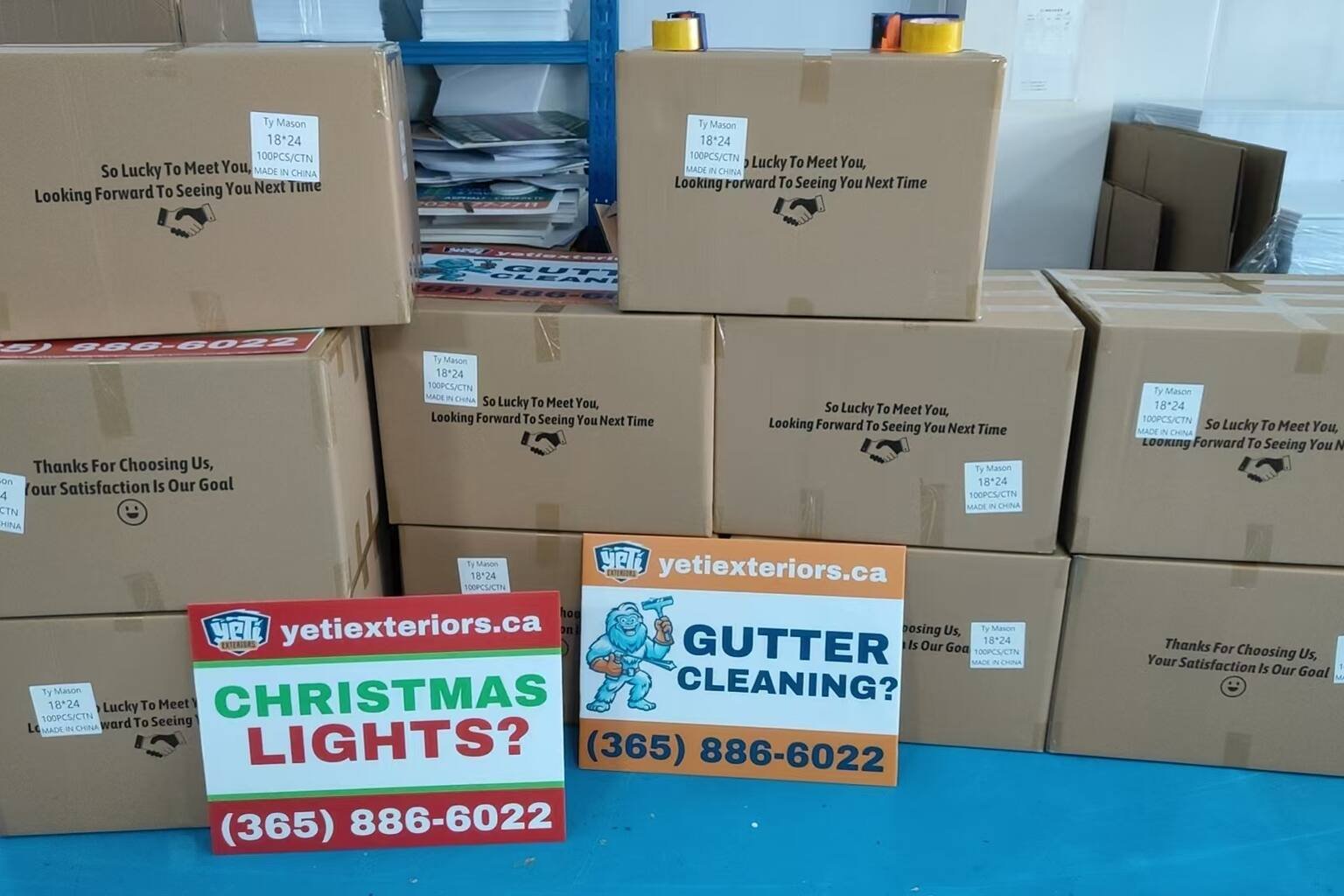
Your artwork should match the final sign size. A design made for a small flyer may not work well for an 18″ x 24″ or 24″ x 36″ yard sign.
Common yard sign sizes include:
- 12″ x 18″ for small directional or close-range signs.
- 18″ x 24″ for standard lawn signs and campaign signs.
- 24″ x 36″ for better roadside visibility.
- Custom sizes for special projects or brand requirements.
When preparing artwork, confirm whether the design is horizontal or vertical and make sure the layout matches the final size.
Understand Bleed and Safe Area
Bleed and safe area are important for clean printing and cutting. Bleed is extra artwork that extends beyond the final trim edge. Safe area is the space inside the edge where important text and logos should stay.
If your design has no bleed, the finished sign may show unwanted white edges after cutting. If your text is too close to the edge, it may look cramped or risk being trimmed.
Before approving artwork, check that:
- Background colors or images extend into the bleed area.
- Important text stays inside the safe area.
- Logos are not too close to the edge.
- QR codes have enough clear space around them.
- The file matches the correct final trim size.
A professional yard sign factory can help confirm bleed and safe area before production.
Choose Readable Text Sizes
Yard signs need to be readable from a distance. Small text may look fine on a computer screen but become hard to read outdoors.
For better readability, use large text for the main message and avoid long paragraphs. A yard sign should not try to include every detail about your business, campaign, or event.
A good yard sign usually includes:
- One main headline.
- A short supporting message.
- A phone number, website, or QR code.
- A logo or simple brand mark.
Use fewer words and stronger contrast if the sign will be placed near roads or viewed by drivers.
Use Strong Color Contrast
Color contrast affects how easily people can read your sign. Low-contrast designs may look stylish online but fail outdoors, especially in bright sunlight or from a distance.
High-contrast combinations such as dark text on a light background or light text on a dark background are usually easier to read.
Before printing, avoid:
- Light gray text on a white background.
- Small red text on dark backgrounds.
- Busy photo backgrounds behind important text.
- Too many colors competing for attention.
- Brand colors used in a way that hurts readability.
Your sign should look good, but it must also be easy to read quickly.
Check Colors Before Printing
Printed colors may not look exactly the same as colors on a screen. Screens use light, while printed signs use ink. Different monitors can also display colors differently.
For important brand colors, provide color references when possible. If color accuracy is critical for a bulk order, ask your supplier about proofing or sample options before mass production.
For most yard signs, the priority is strong visibility and consistent branding. Clean, high-contrast colors usually perform better than complicated gradients or subtle tones.
Make QR Codes Easy to Scan
QR codes are useful on yard signs because they connect offline advertising to online pages, quote forms, property listings, event registration, or product information. But QR codes must be large enough and clear enough to scan.
Before printing yard signs with QR codes:
- Test the QR code with multiple phones.
- Use high contrast, usually dark code on a light background.
- Keep enough white space around the code.
- Do not place the QR code too close to the edge.
- Use a short and stable landing page URL.
- Make sure the linked page works on mobile devices.
For roadside signs, a QR code should not replace a phone number or website. Some people may not have time to scan while passing by.
Confirm Single-Sided or Double-Sided Artwork
Before production, confirm whether your yard sign will be single-sided or double-sided. If the design is double-sided, make sure both sides are provided and clearly labeled.
Double-sided signs are often better for lawns, roadsides, open houses, contractor job sites, political campaigns, and event entrances because people can see the message from both directions.
If both sides use the same artwork, tell the supplier clearly. If each side has different artwork, provide separate files and confirm which side is side A and side B.
Prepare Artwork for Multiple Designs
Bulk yard sign orders often include multiple designs. For example, a campaign may need signs for different candidates, a real estate office may need different agents, or a franchise may need signs for different locations.
When sending multiple designs, organize files clearly. Include:
- File name for each design.
- Quantity for each version.
- Size for each design.
- Single-sided or double-sided details.
- Any special packing or labeling instructions.
Clear file organization helps the factory avoid confusion and pack the order correctly.
Review the Digital Proof Carefully
A digital proof is your chance to check the design before printing. Do not approve it too quickly. Once production starts, changes may not be possible.
When reviewing a proof, check:
- Spelling and grammar.
- Phone numbers and website URLs.
- Logo placement.
- QR code function.
- Final size.
- Bleed and safe area.
- Colors and contrast.
- Quantity and design version.
For bulk orders, proof approval is one of the most important steps in the entire process.
Artwork Checklist for Custom Yard Signs
Before sending files to production, use this checklist:
- Final sign size is confirmed.
- Artwork matches the correct size and orientation.
- Logo and images are high resolution.
- Bleed is included if needed.
- Text and logos are inside the safe area.
- Colors have enough contrast.
- Phone number and website are correct.
- QR code is tested and scannable.
- Single-sided or double-sided printing is confirmed.
- Each design version and quantity is clearly labeled.
This simple checklist can help prevent costly printing mistakes.
How iYardSign Helps With Artwork Preparation
At iYardSign, we understand that overseas buyers and bulk order customers need clear production details before printing begins. Artwork checking is part of making the custom yard sign process smoother and more reliable.
We can help customers review practical artwork details such as size, resolution, bleed, safe area, text readability, QR code placement, and design suitability for outdoor use.
Our goal is not only to print signs, but to help customers receive yard signs that are readable, professional, and ready for real outdoor advertising.
Final Thoughts
Preparing print-ready artwork is one of the best ways to avoid problems when ordering custom yard signs. Clear files, readable text, correct size, proper bleed, high-resolution logos, and careful proof approval all help improve the final result.
For overseas buyers, resellers, campaigns, real estate teams, contractors, and local businesses, good artwork preparation can save time, reduce mistakes, and make bulk yard sign orders easier to manage.
If you are planning a custom yard sign order, iYardSign can help review your artwork, recommend suitable specifications, and support production for outdoor signs, campaign signs, business signs, real estate signs, and bulk yard sign orders.
FAQ
What file format is best for custom yard signs?
Vector files such as AI, EPS, or print-ready PDF are usually best for yard sign printing. High-resolution PNG or JPG files may also work for certain designs.
Why does yard sign artwork need bleed?
Bleed gives the printer extra artwork beyond the final cut edge, helping prevent unwanted white borders after trimming.
What is the safe area on a yard sign?
The safe area is the inner area where important text, logos, and QR codes should stay so they are not too close to the edge or cut line.
Can I use a screenshot as yard sign artwork?
Screenshots are usually not recommended because they are often too low resolution for large-format printing. A vector or high-resolution file is better.
How do I make sure my QR code works on a yard sign?
Use a high-contrast QR code, keep it large enough, leave clear space around it, and test it with multiple phones before approving the proof.
Should yard sign text be large?
Yes. Yard signs are often viewed from a distance, so large text, short messages, and strong contrast are important for readability.
Do I need separate files for double-sided yard signs?
If both sides are different, provide separate files and clearly label side A and side B. If both sides are the same, confirm that with the supplier.
Can iYardSign check my artwork before production?
Yes. iYardSign can help review artwork details such as size, resolution, bleed, safe area, readability, QR code placement, and print suitability before production.